Project Overview
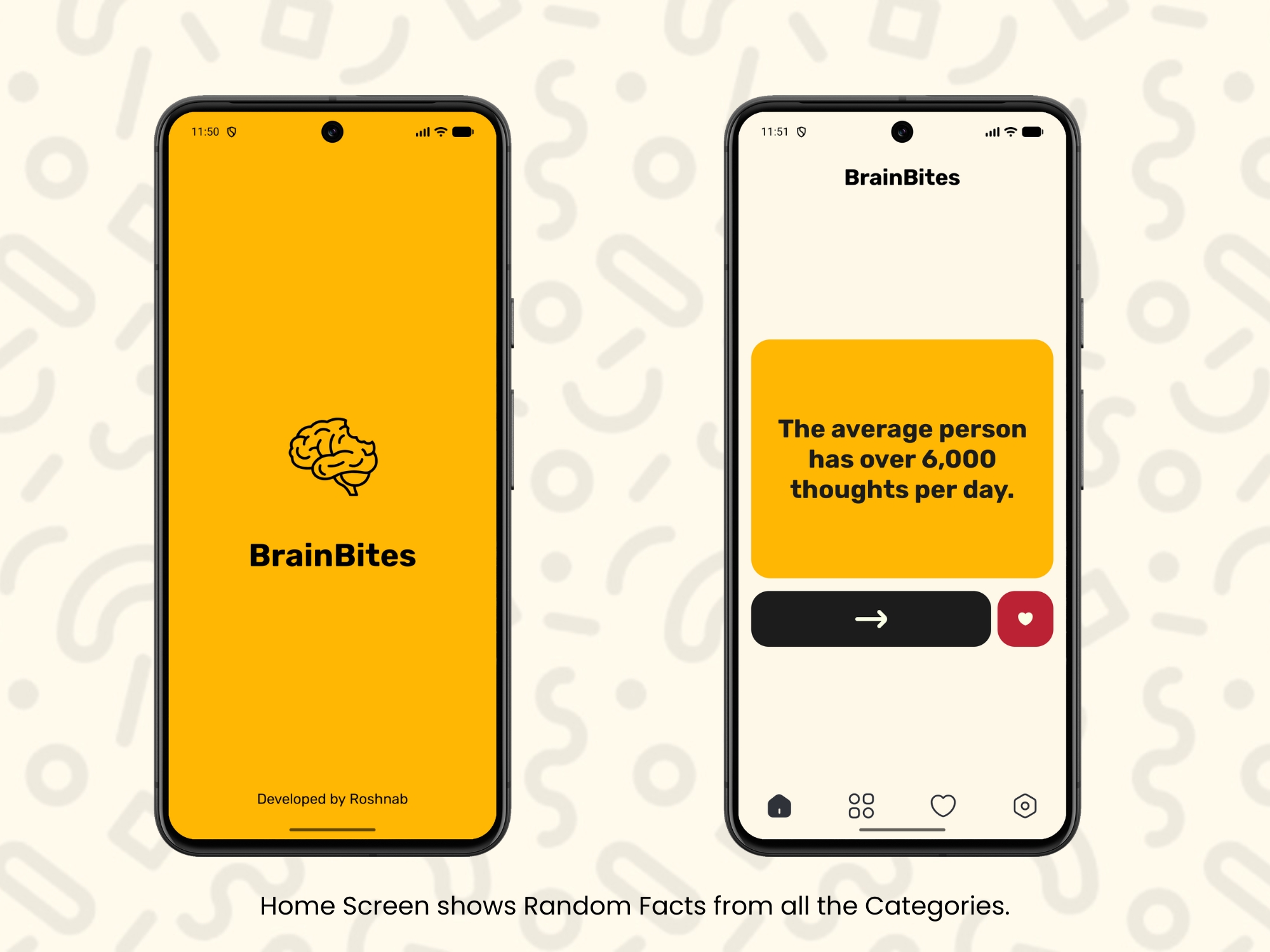
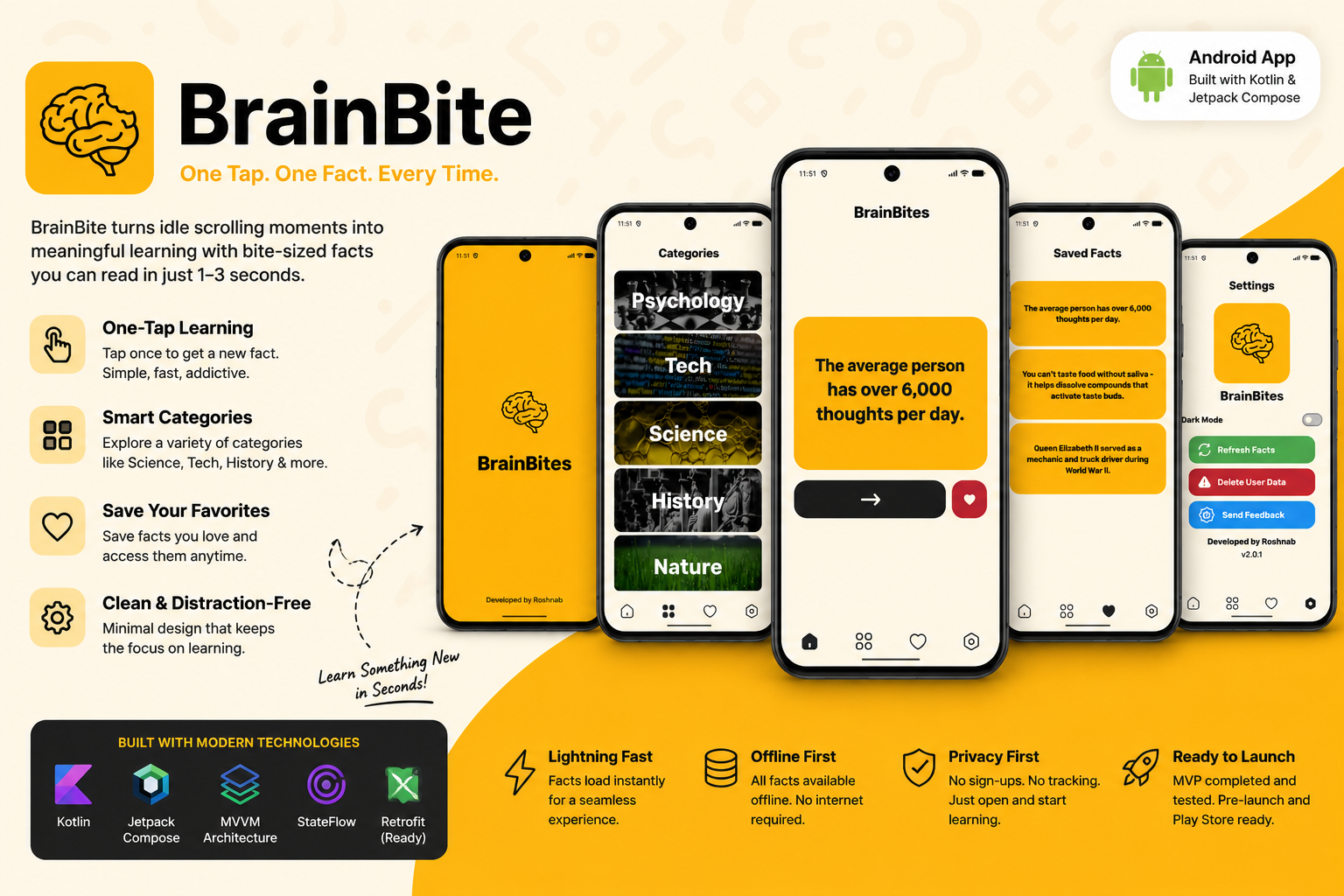
People with short attention spans tend to default to scrolling when they have a spare moment, even when they'd rather come away with something. I designed and built BrainBite, an Android app that gives that moment a different outcome: one tap surfaces a single bite-sized fact, readable in one to three seconds, with another just a tap away.
The goal was to make BrainBite as easy to open as any scrolling app, but leave the user having learned something instead of just having spent time.
At a Glance
- ▹Business goal: Give people who default to doomscrolling a lower-effort, positive alternative for the same idle moments
- ▹Primary users: People with low attention spans who reach for their phone out of habit during short breaks
- ▹Core solution: A one-tap Android app that delivers a new bite-sized fact on every tap
- ▹Key outcome: A fully working MVP, informally tested with early users, ready for Play Store submission
Client or Business Context
Short-form content apps compete hard for the small windows of attention people give their phones throughout the day — waiting in line, between tasks, or during a break. Most of that time produces nothing the user can point back to afterward.
BrainBite was built to target that specific window: the few seconds someone opens their phone out of habit. Rather than asking for a lesson, a sign-up, or a streak commitment, it asks for one tap and gives one fact back.
Project Positioning
This is an independent product initiative — there is no client or commercial contract behind it. It was built to test whether a near-zero-friction micro-learning format could realistically compete with the habit of opening a scrolling app for that same idle attention.
The Challenge or Opportunity
What Was Not Working
- ▹The default habit for idle moments is opening a scroll-based app, not a learning one
- ▹Most learning apps ask for too much upfront — accounts, lessons, streaks — for a window that might only last a few seconds
- ▹People generally know that time spent scrolling doesn't leave them with anything afterward, but the alternative options feel like too much effort to bother with
Why It Mattered
If the only realistic option for a spare 10–30 seconds is scrolling, that time is effectively wasted by default. Closing that gap meant building something with less friction than opening a social app, not more — otherwise it would lose to habit every time.
Project Goals
- ▹Build an app that delivers value in under three seconds of use
- ▹Remove every layer of friction between opening the app and learning something
- ▹Make the content system easy to grow so the app doesn't run out of material
- ▹Ship a lightweight, well-architected app that could scale past a static content file later
The Approach
1. Understanding the Problem
The starting point was the behavior itself: the reflexive habit of opening a phone and scrolling without intending to learn anything. Instead of designing around a content library or a curriculum, I designed around the constraint that mattered most — the interaction had to work in the same few seconds a scroll would.
2. Defining the Right Scope
Key scope decisions:
- ▹No accounts, streaks, or onboarding in the MVP: anything that added a step before the first fact would undercut the whole premise
- ▹A single core loop — tap, read, tap again: every other feature was left out of the first version so the core interaction could be built and tested properly
- ▹Local JSON content instead of a backend for launch: avoided building and maintaining a server before the core idea was validated
3. Designing the Solution
Core solution components:
- ▹One-tap fact engine: a single interaction — tap for a new fact — with no menus or setup in the way
- ▹Minimal, distraction-free UI: built in Jetpack Compose with Material 3, so the content is the focus rather than the app's chrome
- ▹Smooth transitions: animations between facts were tuned to feel deliberate rather than abrupt, so repeat use feels natural
4. Building and Validating
BrainBite was built with Kotlin and Jetpack Compose on an MVVM architecture, using StateFlow to keep the UI reactive to each new fact. Before preparing for a Play Store submission, I shared the app with a small group of friends for informal testing and collected their feedback on the experience, which I'm using to refine the app ahead of launch.
5. Solving the Hardest Problem
Challenge: Keeping content easy to grow without over-building the MVP
Why it was difficult: Launching with a live backend before validating the core idea would have added real cost and complexity for a concept that hadn't been tested with real users yet. At the same time, a completely static app would be hard to expand later without reworking the data layer.
Decision made: I built the content layer around local JSON files, but structured the app on a Retrofit-ready architecture from the start — the same shape it would need if facts were later served from a remote API.
Outcome: BrainBite can launch with local content now, and move to server-delivered facts later — for fresher content or personalization — without redesigning how the app fetches or displays them.
The Solution
BrainBite is a lightweight Android app where the entire experience is one tap: open the app, read a fact, tap for another. There's no account to create and nothing to configure — the app is ready to use the moment it opens.
Key Capabilities
- ▹One-tap fact generation: a new bite-sized fact appears on every tap, with no menus or extra steps
- ▹Minimal, distraction-free interface: a Compose and Material 3 UI that keeps the fact itself as the only thing competing for attention
- ▹Smooth animations: transitions between facts are designed to feel considered, reinforcing quick, repeat use
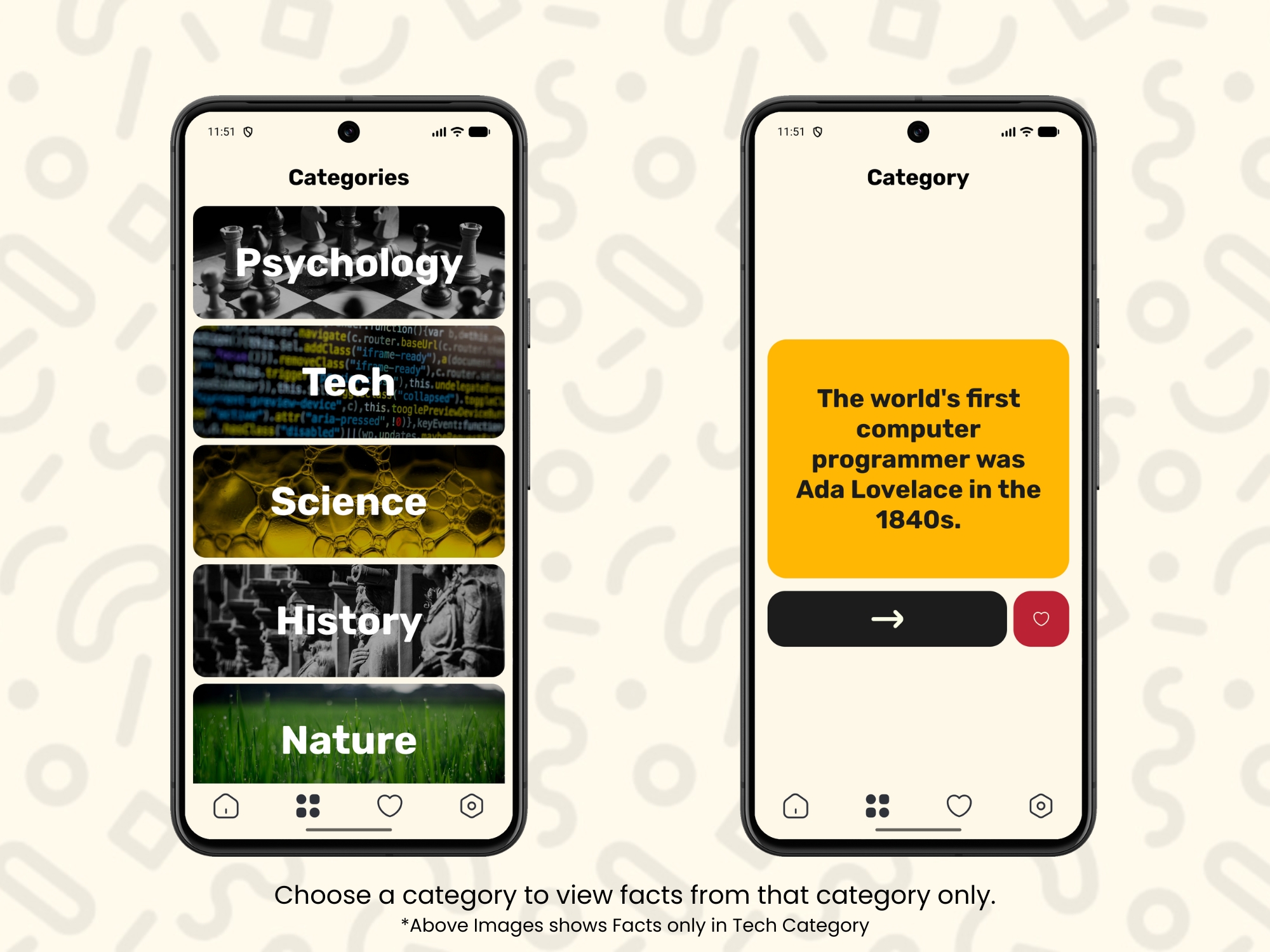
- ▹Extensible content system: a JSON-based data source that's straightforward to expand with new facts or categories, built on an architecture ready to move to a live API later
Key Results
Because BrainBite hasn't launched publicly yet, there's no usage or download data available. The results below reflect what's been built and validated so far.
Product and User Outcomes
- ▹End-to-end MVP: the full tap-to-fact loop, animations, and content layer are built and working ahead of public launch
- ▹Early user feedback: informal testing with a small group of friends is informing final refinements before the Play Store submission
- ▹Launch-ready state: the app is feature-complete for its intended MVP scope and ready to move toward publishing
Technical Outcomes
- ▹Architecture: Kotlin, Jetpack Compose, MVVM, and StateFlow power a reactive one-tap interface
- ▹Extensibility: a JSON-based content layer makes it straightforward to add new facts or categories without touching app logic
- ▹Forward compatibility: a Retrofit-ready structure means the app can move from local JSON to a remote content API later without a rebuild
- ▹Design system: built entirely on Material 3 components for a consistent, modern UI
Impact
A genuinely lightweight alternative to scrolling only works if it fits inside the same window people already give their phones out of habit — a few seconds, no setup. By keeping the MVP down to a single interaction and building the content layer to grow without a rework, BrainBite is positioned to add material and, eventually, move to server-delivered content, without needing to rebuild the app around either change.
The early round of tester feedback is being used to refine the experience before the app goes public, which should make the Play Store version a more considered release than a first-pass launch would have been.
Technologies and Skills Demonstrated
Technology Stack
- ▹Frontend: Kotlin, Jetpack Compose, Material 3
- ▹Architecture: MVVM, StateFlow
- ▹Data: Local JSON data source, built on a Retrofit-ready architecture for future API integration
Skills Demonstrated
- ▹Native Android app architecture (MVVM, StateFlow)
- ▹Modern declarative UI development with Jetpack Compose
- ▹Content and data layer design for extensibility
- ▹End-to-end solo product development, from concept through pre-launch testing
My Role and Contribution
I built BrainBite independently, from the initial concept through to the current pre-launch MVP.
I was responsible for:
- ▹Defining the product concept and the core one-tap interaction model
- ▹Designing and building the entire Android app in Jetpack Compose with an MVVM architecture
- ▹Building the JSON-based content system and structuring the app for future API integration
- ▹Running informal testing with friends and using their feedback ahead of the Play Store submission
Team setup: Solo developer
Lessons and Reflection
- ▹What worked well: Keeping the MVP down to a single interaction loop — tap, read, tap again — made the app fast to build and easy for testers to understand without any explanation.
- ▹What I would improve: I'd bring in a larger and more varied group of testers before launch. A small circle of friends is useful for early signal, but it's unlikely to catch every usability issue a broader audience would surface.
- ▹What the project taught me: Designing around a hard constraint — a few seconds of attention — forced real discipline in scope decisions. Every feature had to justify itself against that limit or get cut.
Closing Summary
BrainBite turns a moment people would normally spend scrolling into one tap of learning. Built solo with Kotlin and Jetpack Compose, it pairs a distraction-free, one-tap interaction with a content system designed to grow — from local JSON now to a live API later — without needing a rebuild. With the MVP complete and early tester feedback in hand, it's ready for its next step: a public release on the Play Store.
Project takeaway: Proved that a genuinely minimal, one-tap interaction can be shipped as a complete, well-architected product rather than just a rough demo.