Project Overview
Most note and task apps solve one half of staying organized, not both, and many work against their own purpose by piling on ads or extra features. I designed and built DoNote, a minimalist Android app that combines task management and note-taking in one clean, genuinely ad-free space, with full offline access.
At a Glance
- ▹Business goal: Give productivity-focused users a single, uncluttered, ad-free space for tasks and notes instead of juggling separate apps
- ▹Primary users: People who want a lightweight tasks-and-notes tool without ads or unnecessary features in the way
- ▹Core solution: An offline-first Android app combining task management with completion tracking and titled notes in one minimal interface
- ▹Key outcome: A complete, working app built end to end, available on GitHub ahead of a public release
Client or Business Context
The market for note-taking and task apps is crowded, but a lot of it is crowded with the wrong things — ads, subscription prompts, and features that have nothing to do with writing something down or tracking a task. DoNote was built as a direct response to that: existing apps felt cluttered or ad-heavy for something that's supposed to help someone focus.
Project Positioning
This is an independent product initiative — there's no client behind it. It was built to offer a genuinely minimal, ad-free alternative to the task and notes apps already on the market, rather than another app that's minimal in its marketing but not in practice.
The Challenge or Opportunity
What Was Not Working
- ▹Popular note and task apps are often cluttered with features unrelated to the core job of writing a note or tracking a task
- ▹Ads and monetization prompts interrupt what should be a simple, focused space
- ▹People who need both notes and tasks often end up running two separate apps for two closely related jobs
Why It Mattered
A tool meant to help someone stay organized works against itself when it's full of ads, extra features, and visual noise. And splitting tasks and notes across two apps adds friction to something that should take seconds.
Project Goals
- ▹Combine task and note management in one app, without merging them into one confusing interaction
- ▹Keep the interface deliberately minimal, with no ads and no unnecessary chrome
- ▹Support full offline access, with no dependency on a network connection
- ▹Build on a clean, modular architecture that can grow without accumulating tech debt
The Approach
1. Understanding the Problem
The starting point was a direct look at what existing note and task apps get wrong — ad placements that interrupt the flow, feature bloat, and forcing people into two separate apps for two closely related jobs. DoNote's scope was defined by deliberately avoiding all three.
2. Defining the Right Scope
Key scope decisions:
- ▹Two core objects, nothing more: tasks with completion tracking, and titled notes — no extra layers like folders, tags, or reminders bloating the first version
- ▹Offline-first from day one: Room Database was the local source of truth from the start, rather than a cloud-first design with offline support bolted on later
- ▹No ad integrations anywhere in the architecture: keeping the app ad-free by design, not just by a default setting that could change later
3. Designing the Solution
Core solution components:
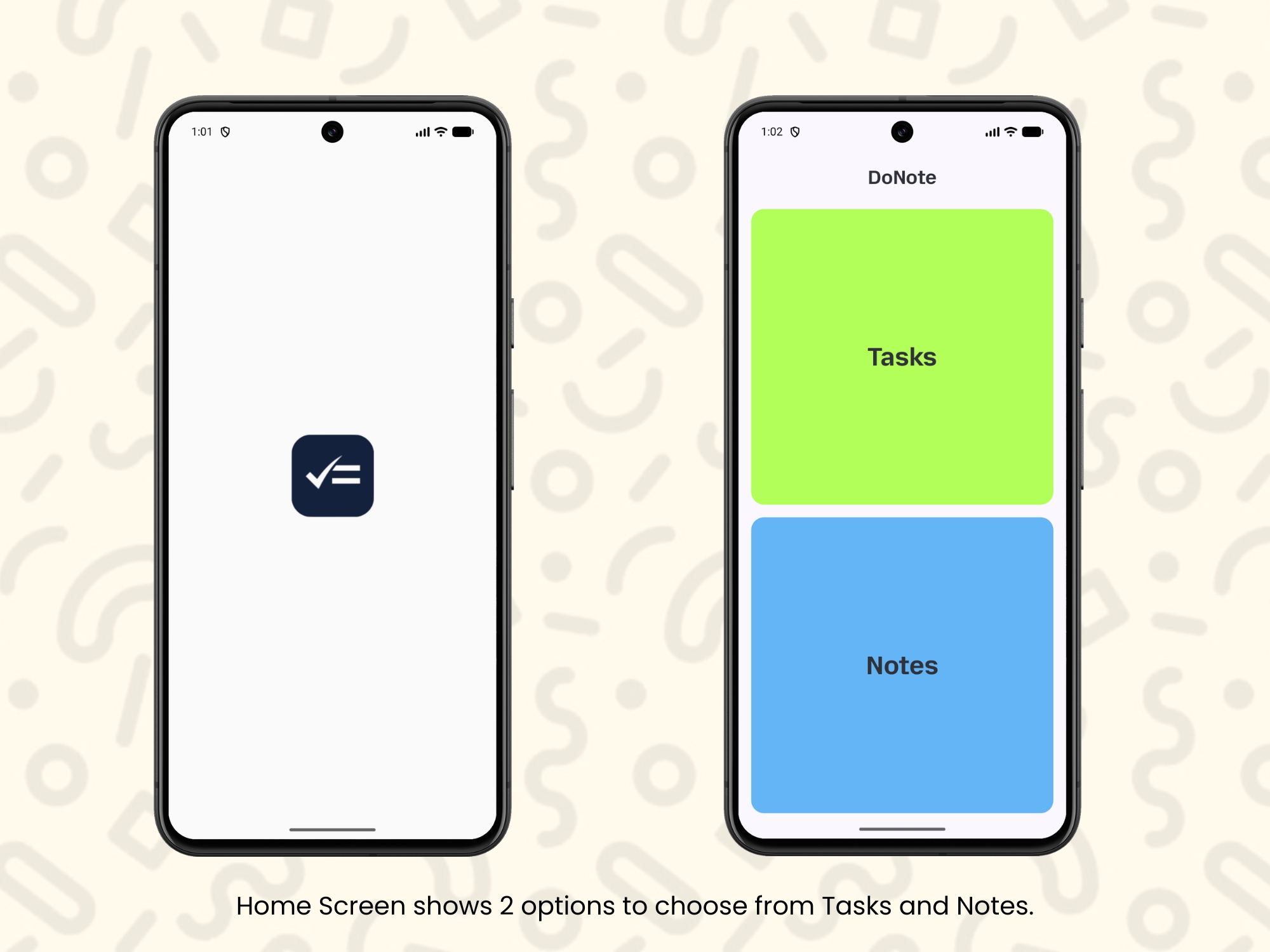
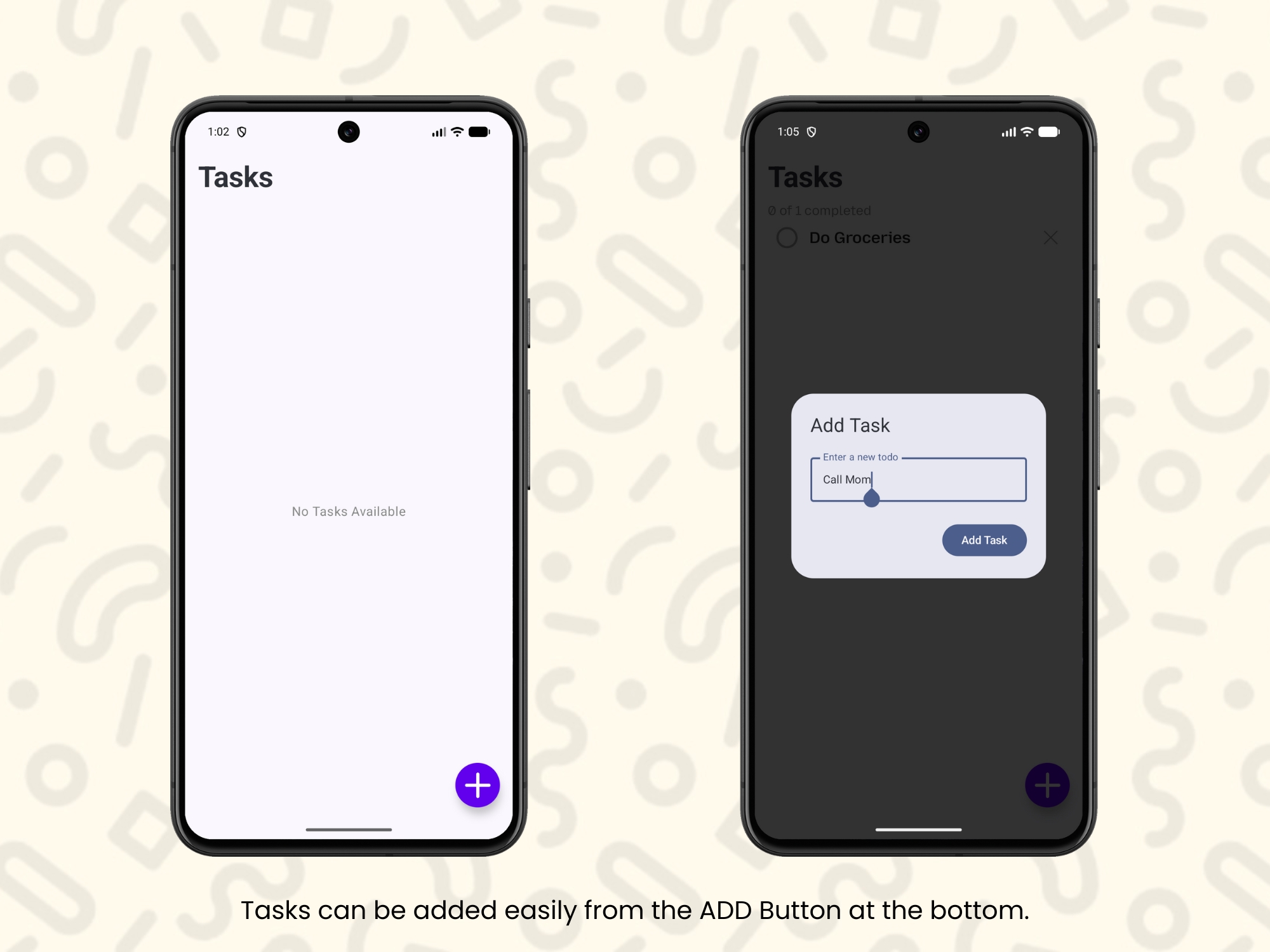
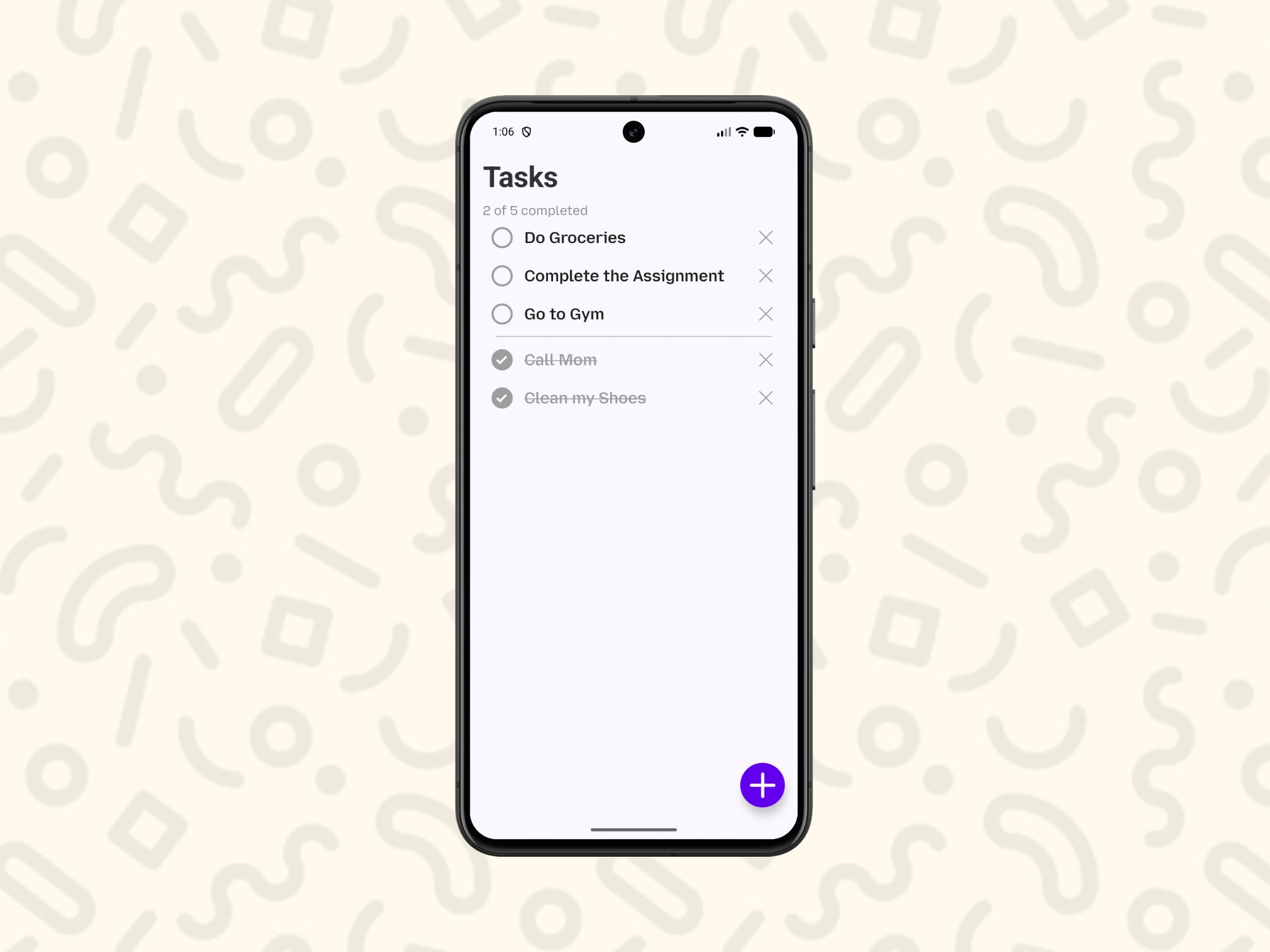
- ▹Task manager: create, edit, and manage tasks with completion tracking
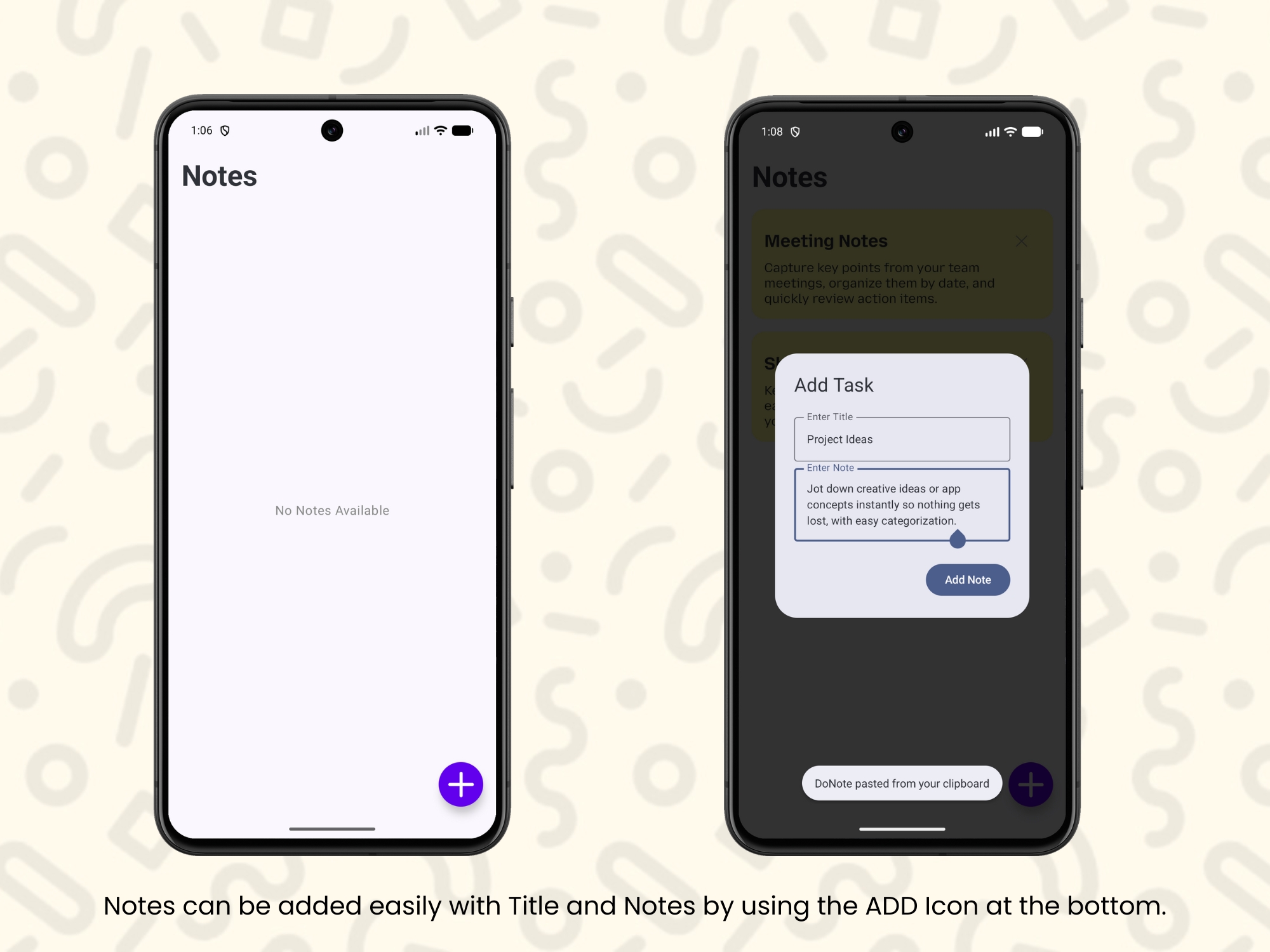
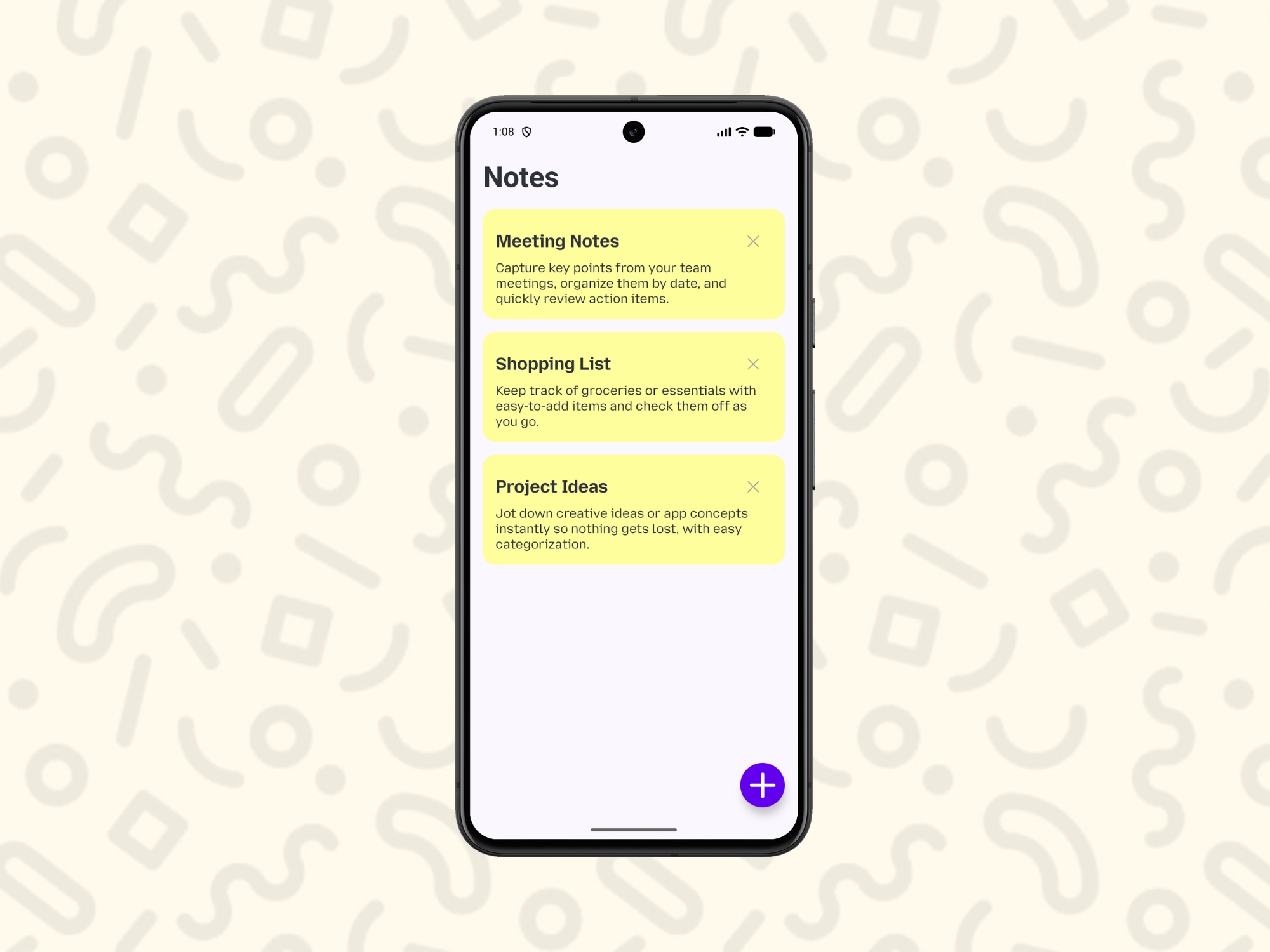
- ▹Notes: titled notes that can be created and organized separately from tasks
- ▹Offline-first data layer: Room Database ensures the app works fully without a network connection
- ▹Minimal UI: built in Jetpack Compose and Material 3, designed to stay out of the way rather than compete for attention
4. Building and Validating
DoNote was built in Kotlin on Jetpack Compose, using an MVVM architecture with ViewModel and StateFlow (LiveData where it made more sense), Coroutines and Flows for asynchronous work, and Navigation Compose for screen flow. The codebase was structured to be DI-ready (Hilt-optional), so dependency injection can be introduced later without a rewrite. The app is complete and functional, and currently available on GitHub ahead of a public release.
5. Solving the Hardest Problem
Challenge: Making one minimal interface serve two different interaction models
Why it was difficult: Tasks need a completion-tracking interaction — checking something off, marking it done. Notes need a freeform writing and editing interaction. Combining both into one minimal app risked either overcomplicating the interface or making one of the two feel like an afterthought.
Decision made: I kept tasks and notes as clearly separate flows within the same app and navigation graph, rather than forcing them into a single merged data model or shared view.
Outcome: Each function — tasks and notes — stays simple and purpose-built, while still living inside one minimal, ad-free app instead of two separate ones.
The Solution
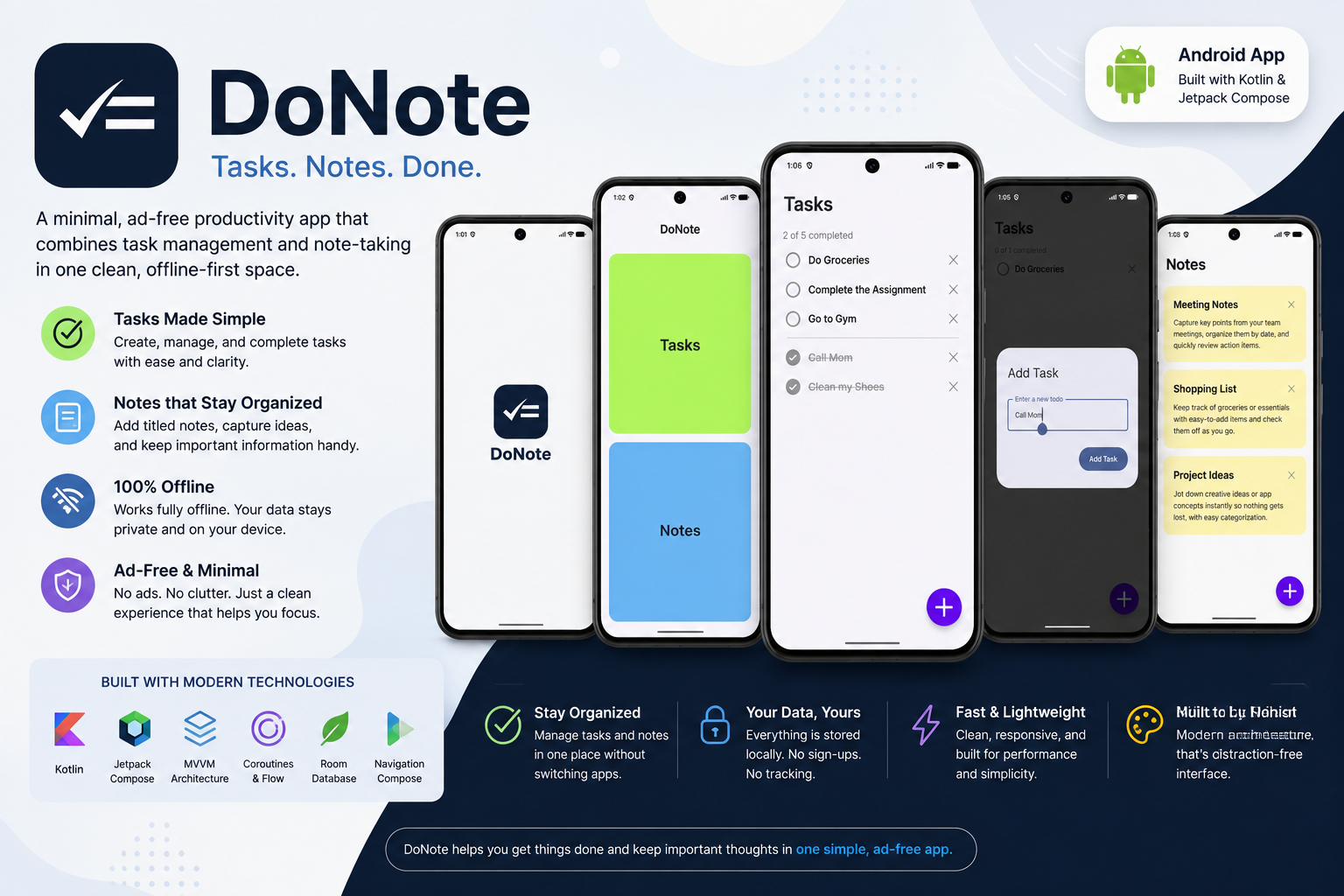
DoNote is a single Android app for managing tasks and notes, built to stay out of the user's way. Everything runs fully offline, there are no ads anywhere in the app, and the interface is intentionally minimal.
Key Capabilities
- ▹Combined task and note management: create, edit, and manage tasks with completion tracking, alongside titled notes, in one app
- ▹Fully offline: Room-backed local persistence means the app works completely without a network connection
- ▹Minimalist, distraction-free UI: built in Compose and Material 3, with no ads and no unnecessary features
- ▹Built for extensibility: a modular, clean code structure with a DI-ready (Hilt-optional) design, ready to grow without a rewrite
Key Results
DoNote is a completed build that hasn't been published yet, so there's no usage data available. The results below reflect what's been delivered.
Product and User Outcomes
- ▹Built and working end-to-end app that combines task management and note-taking in one minimal interface
- ▹Fully offline task and note management, with no dependency on network access
- ▹No ad integrations anywhere in the app — genuinely ad-free by design, not by a setting that could change later
- ▹Complete, functioning build available on GitHub ahead of a planned public release
Technical Outcomes
- ▹Architecture: MVVM with ViewModel and StateFlow (LiveData where needed), Coroutines and Flows for async work, Navigation Compose for screen flow
- ▹Persistence: Room Database for full offline-first local storage
- ▹Extensibility: modular, clean code structure with a DI-ready (Hilt-optional) design, so dependency injection can be added later without restructuring
- ▹UI: built entirely on Jetpack Compose and Material 3
Qualitative Results
- ▹Delivered a genuinely ad-free, minimal alternative to cluttered task and notes apps
- ▹Combined two previously separate needs — tasks and notes — into one coherent, distraction-free tool
- ▹Built solo, end to end, on a modern, offline-first Android architecture
Impact
Being ad-free by design, not just by default, and offline-first from the start rather than retrofitted later, means DoNote is positioned to actually deliver on the reason it was built — a genuinely distraction-free space — once it's released, rather than becoming another app that opens with a prompt or needs a connection to be useful.
Technologies and Skills Demonstrated
Technology Stack
- ▹Frontend: Kotlin, Jetpack Compose, Material 3
- ▹Architecture: MVVM, ViewModel, Navigation Compose
- ▹Data: Room Database (offline-first local persistence)
- ▹Async: Coroutines, Flows, StateFlow, LiveData (where needed)
- ▹Structure: Modular, clean code structure, DI-ready (Hilt-optional)
Skills Demonstrated
- ▹Offline-first Android architecture
- ▹Modern declarative UI development with Jetpack Compose
- ▹Reactive state management across StateFlow, LiveData, and Flows
- ▹Clean, modular code structure designed for extensibility
- ▹End-to-end solo product development
My Role and Contribution
I built DoNote independently, from the initial concept through to the current completed build.
I was responsible for:
- ▹Defining the product concept — one minimal, ad-free app combining tasks and notes
- ▹Designing and building the entire app in Jetpack Compose with an MVVM architecture
- ▹Building the offline-first data layer using Room
- ▹Structuring the codebase for future extensibility with a DI-ready, modular design
Team setup: Solo developer
Lessons and Reflection
- ▹What worked well: Keeping tasks and notes as clearly separate flows in the same app avoided forcing them into one merged model, without needing two separate apps either.
- ▹What I would improve: The app hasn't been tested with real users yet. I'd want to get it in front of a small group before a public release to catch usability issues that aren't obvious from building it solo.
- ▹What the project taught me: Building offline-first and keeping the architecture DI-ready from the start, rather than retrofitting either later, made it much easier to keep the app simple now while leaving room to grow.
Closing Summary
DoNote combines task management and note-taking into one minimal, genuinely ad-free Android app, built offline-first from day one. Built solo in Kotlin and Jetpack Compose on a modular, DI-ready MVVM architecture, the app is complete and available on GitHub, ready for a future public release.
Project takeaway: Built a genuinely minimal, ad-free productivity app end to end, solving the two-apps problem without adding the clutter it was meant to avoid.