Project Overview
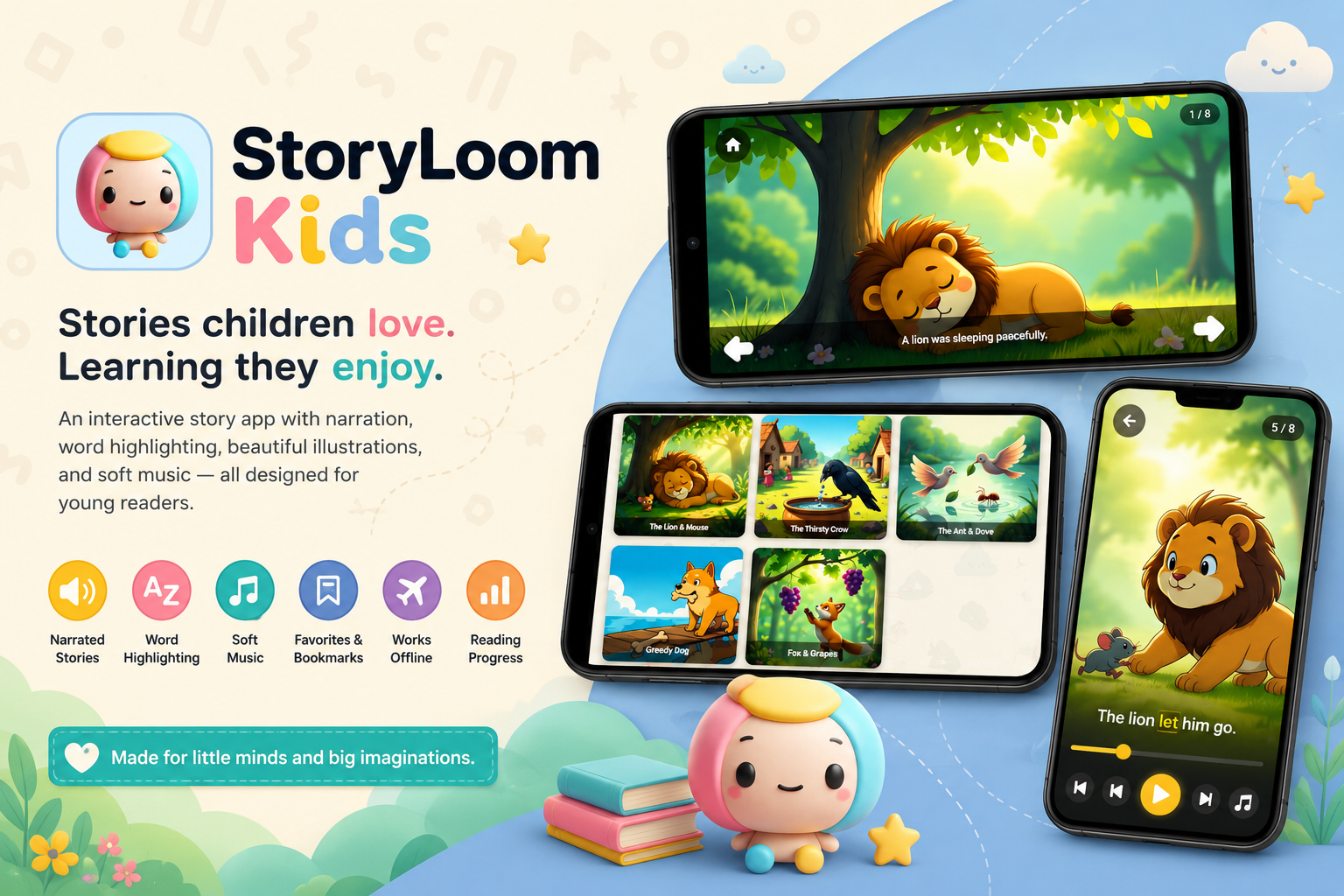
StoryLoom Kids is an interactive Android story app designed to help children follow simple tales through a combination of narration, on-screen text, illustrations, soft background music, and guided word highlighting. Parents install the app for their child, while the reading experience itself is designed around the child’s needs: clear controls, gentle presentation, and minimal distraction.
I took the project from initial research to final implementation. I defined the product scope, designed the reading experience, and developed the completed MVP using Kotlin and Jetpack Compose. The result is an offline-capable story app that brings several forms of reading support into one consistent experience.
At a Glance
- ▹Product goal: Make digital stories easier and more engaging for children to follow independently or with a parent.
- ▹Primary users: Children using the app and parents who install and manage it.
- ▹Core solution: A picture-assisted story reader with narration, word highlighting, soft music, reading controls, categories, favorites, offline access, and progress tracking.
- ▹Key outcome: A completed Android MVP covering the full journey from discovering a story to listening, reading, saving, and continuing it later.
Product Context
Children’s story apps often need to serve two audiences at the same time. Parents want an experience that feels appropriate, simple, and dependable. Children need an interface they can understand without navigating dense menus or reading long instructions.
StoryLoom Kids was created around that shared need. The app does not treat a story as text alone. It combines written words with illustrations, spoken narration, and soft music so a child can listen, look, and read at the same time. Reading controls and progress tracking make the experience flexible, while offline access allows stories to remain available without a constant internet connection.
Because this was an independent MVP rather than a commissioned client product, the main objective was product validation through implementation: determine whether the complete reading concept could be turned into a coherent, usable Android application.
The Challenge
The central challenge was to support early reading without making the screen feel busy or turning the experience into a complicated learning tool.
A child may want to listen to a story, follow the words, look at the pictures, pause the narration, return to a favorite tale, or continue from where they stopped. Each feature is useful on its own, but presenting all of them together can create unnecessary cognitive load.
What Needed to Be Solved
- ▹Story text had to remain readable while still leaving room for illustrations and controls.
- ▹Narration, music, and word highlighting needed to support the story rather than compete for attention.
- ▹Children needed simple playback controls that did not interrupt the reading flow.
- ▹Parents needed the app to remain useful without requiring a permanent internet connection.
- ▹Stories had to be easy to find again through categories, favorites, and saved progress.
- ▹The product needed enough functionality to test the full concept without expanding beyond a manageable MVP.
Why It Mattered
A reading app can contain good stories and still fail if the experience is difficult to follow. Too many controls can distract children. Weak visual hierarchy can make the text feel secondary. Missing progress or favorite features can also make repeated use frustrating for both children and parents.
The project therefore needed to balance learning support, entertainment, and simplicity. The goal was not to add as many features as possible, but to create one calm reading journey in which every feature had a clear purpose.
Project Goals
- ▹Create a child-friendly story-reading experience that combines text, images, narration, and gentle music.
- ▹Help children follow spoken words through visible word highlighting.
- ▹Give parents and children practical controls for pausing, continuing, and revisiting stories.
- ▹Support offline reading so the experience is not dependent on a live connection.
- ▹Complete a focused Android MVP that could later be tested with parents and children.
The Approach
1. Researching the Reading Experience
I began by studying the needs behind picture-assisted and narrated reading rather than starting with a list of screens. The main product question was: What should a child see and control while a story is being read aloud?
This led to several guiding principles:
- ▹The story should remain the visual focus.
- ▹Images should support comprehension and interest without overwhelming the text.
- ▹Narration controls should be easy to recognize and reach.
- ▹Word highlighting should act as a reading guide, not as an animation effect.
- ▹Returning users should be able to find familiar stories and continue their progress quickly.
These principles shaped both the feature set and the interface hierarchy.
2. Defining the MVP Scope
I chose features that formed one complete reading loop rather than adding unrelated educational tools.
The MVP included:
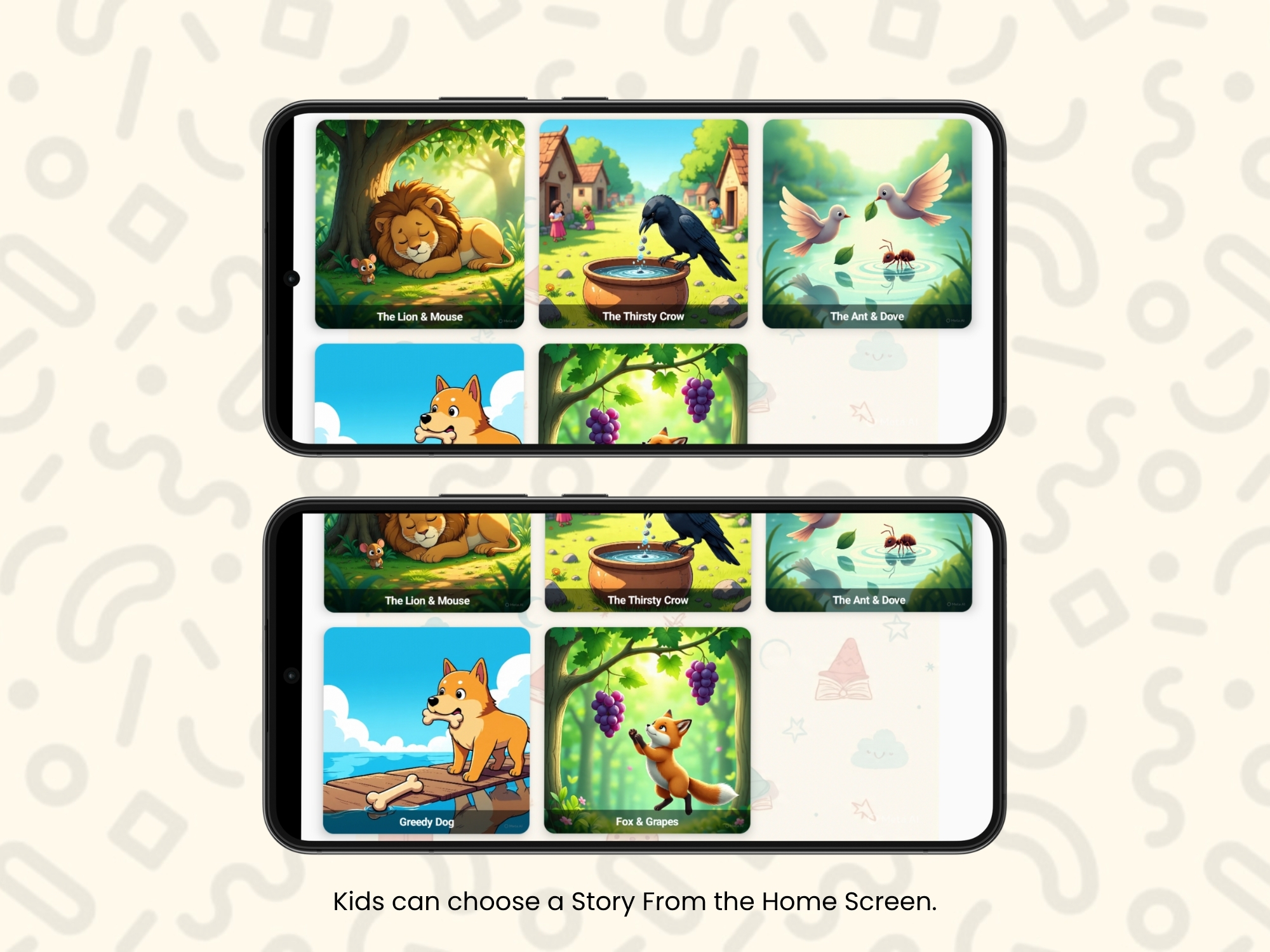
- ▹story browsing by category;
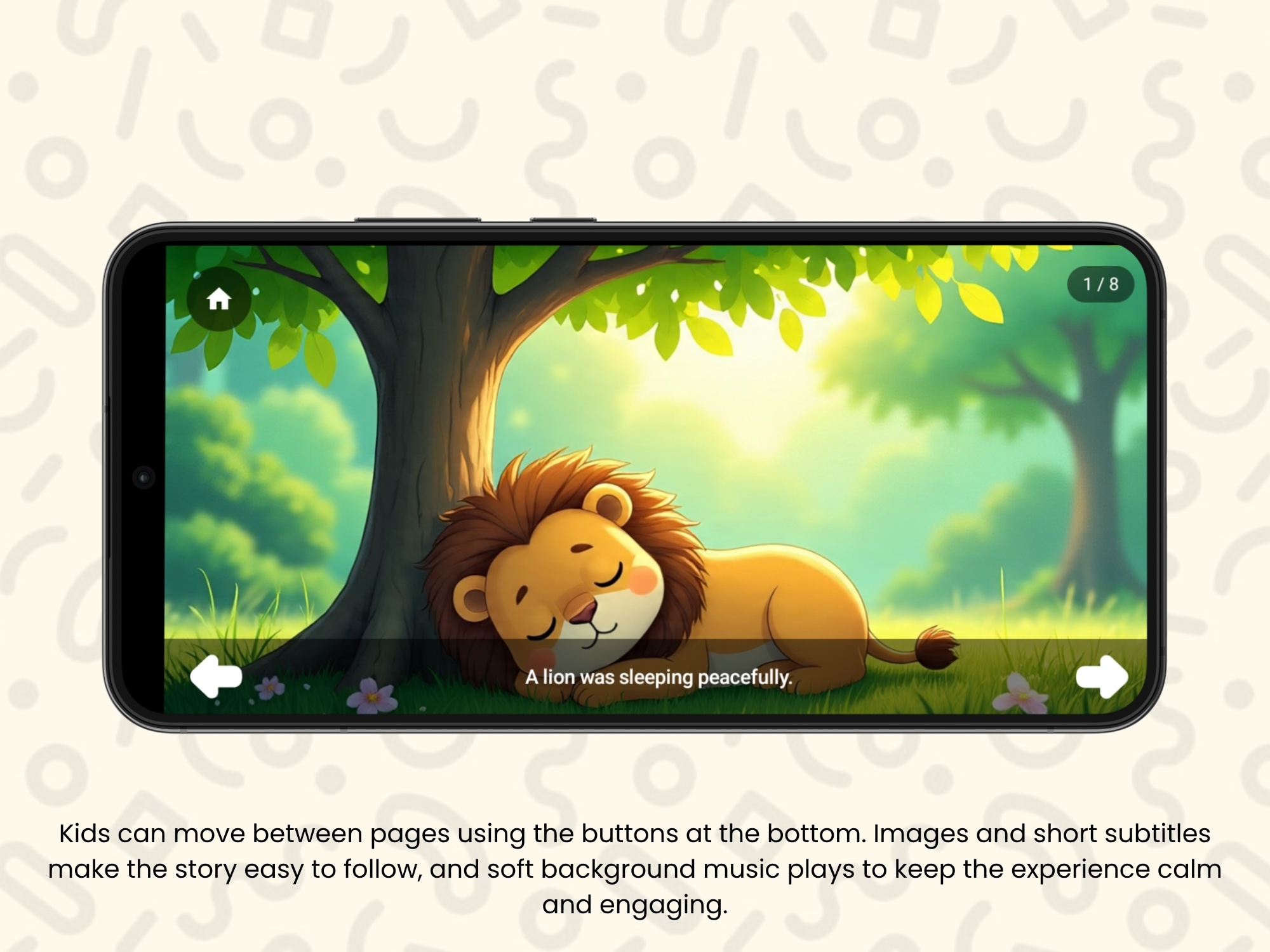
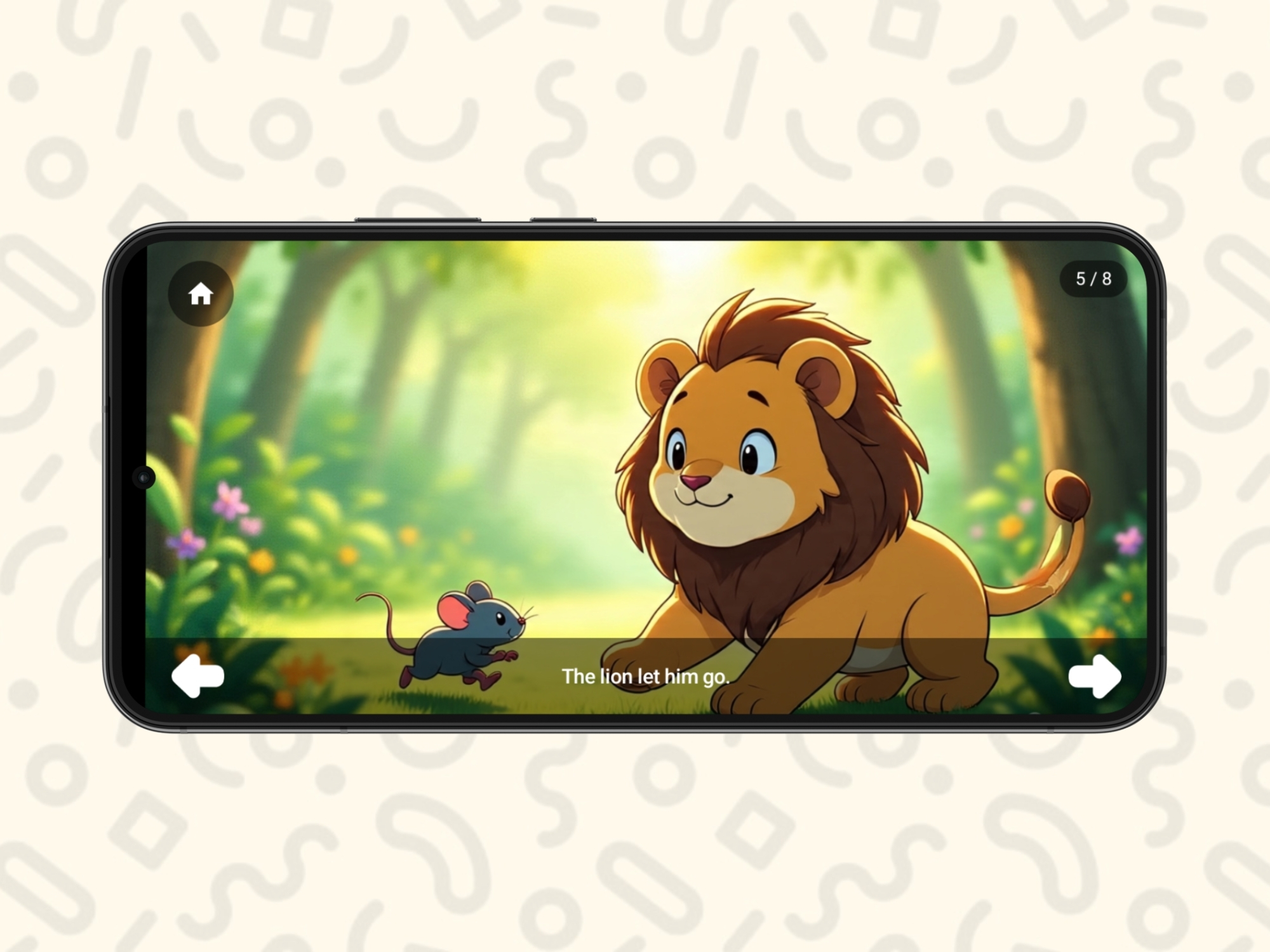
- ▹illustrated story pages;
- ▹spoken narration;
- ▹soft background music;
- ▹word highlighting during reading;
- ▹playback and reading controls;
- ▹favorites;
- ▹offline access; and
- ▹progress tracking.
Together, these features supported the full journey: a parent or child could find a story, begin reading, follow the narration, pause when needed, save a preferred story, leave the app, and return later.
Features outside that core loop were left for future versions. This kept the first release focused and reduced the risk of building a broad children’s platform before validating the main reading experience.
3. Designing for Two Types of Users
The child is the primary reader, but the parent is the person who installs and often introduces the app. I therefore designed the product with two levels of interaction in mind.
For children, the interface emphasized:
- ▹large and understandable controls;
- ▹clear story imagery;
- ▹limited on-screen decisions;
- ▹readable text; and
- ▹consistent navigation.
For parents, the product offered practical structure through categories, favorites, offline availability, and progress retention. These features make it easier to prepare stories, revisit preferred content, and allow a child to continue without starting over.
4. Building the Android Application
I developed StoryLoom Kids natively for Android using Kotlin and Jetpack Compose. Compose supported a component-based interface in which reading controls, story cards, text areas, and image sections could be designed consistently and reused across the app.
The development work covered the complete product rather than one isolated feature. I translated the research into screen flows, created the visual structure, implemented story browsing and reading behavior, and connected the supporting features needed for repeated use.
The app was built around state-aware interactions. The reading screen needed to respond to narration, highlighting, user controls, saved favorites, and progress changes while keeping the interface understandable. This made the reading experience the central technical and design responsibility of the project.
5. Reviewing the Complete Journey
Because no formal parent or child testing was conducted, validation remained focused on the implemented product flow. I reviewed whether the MVP supported the intended journey from beginning to end:
- ▹Open the app and browse available categories.
- ▹Select a story from the library.
- ▹Read with illustrations and narration.
- ▹Follow the current word through highlighting.
- ▹Pause or control the reading experience.
- ▹Save a story as a favorite.
- ▹Leave and return without losing progress.
- ▹Access available content offline.
This confirmed that the product concept had been implemented as a connected experience rather than as a collection of disconnected screens.
Solving the Hardest Problems
Challenge: Keeping the Reading Screen Calm
Why it was difficult:
The screen needed to present text, imagery, highlighting, audio, and controls at the same time. Giving every element equal visual weight would make the experience difficult for a young reader to follow.
Decision made:
I organized the interface around the story itself. Supporting controls were kept clear but secondary, while illustrations and text formed the main reading area.
Outcome:
The completed MVP presents narration and interaction as support for the story rather than as separate competing features.
Challenge: Turning Narration Into Reading Support
Why it was difficult:
Audio alone can make an app feel like a passive story player. Text alone does not help children connect spoken and written words as directly.
Decision made:
I combined narration with word highlighting so the child could hear the story while visually following the current text.
Outcome:
The reading experience became multimodal: children can listen, view illustrations, and track written words within the same flow.
Challenge: Supporting Repeat Use Without Internet Dependence
Why it was difficult:
A story app becomes less practical when children lose access to content or their place in a story whenever connectivity is unavailable.
Decision made:
Offline access, favorites, and progress tracking were included in the MVP rather than being treated as later convenience features.
Outcome:
The app supports repeated reading and continuity, giving parents and children a more dependable experience across sessions.
The Solution
StoryLoom Kids brings discovery, reading assistance, gentle audio, and continuity into one Android application. A child can choose a story, view its illustrations, listen to narration, and follow the words as they are highlighted. Reading controls allow the experience to be paused or adjusted, while favorites and progress tracking support return visits.
Key Capabilities
- ▹Picture-assisted stories: Illustrations accompany the text to make each tale easier to follow and more inviting for young readers.
- ▹Narration: Spoken storytelling allows children to listen independently or read along.
- ▹Soft background music: Gentle audio supports the mood of each story without becoming the focus.
- ▹Word highlighting: The current word is visually emphasized to connect narration with the written story.
- ▹Reading controls: Simple controls let users manage playback without leaving the story experience.
- ▹Story categories: Content is organized so parents and children can browse more easily.
- ▹Favorites: Preferred stories can be saved for quicker access later.
- ▹Offline access: Available stories can be used without relying on a continuous internet connection.
- ▹Progress tracking: The app remembers reading progress so a story can be continued in a later session.
Key Results
StoryLoom Kids reached the intended MVP milestone. The completed application demonstrates the main product concept through a working end-to-end reading flow.
Product Outcomes
- ▹Completed a native Android MVP from research and design through implementation.
- ▹Combined story text, illustrations, narration, soft music, and word highlighting in one reading experience.
- ▹Implemented the supporting features required for repeat use: categories, favorites, offline access, controls, and progress tracking.
- ▹Established a focused product foundation that can be expanded with additional stories and future learning features.
Evidence and Limitations
No launch metrics, user adoption data, formal usability study, or parent and child feedback were provided at the time of writing. The results above therefore describe verified product completion and implemented capabilities, not measured learning outcomes or market performance.
The next meaningful validation step would be supervised testing with parents and children to observe comprehension, control discoverability, reading comfort, and repeat-use behavior.
Impact
The main value of the project is that it turns a broad idea—helping children learn through stories—into a complete mobile product that can be experienced and evaluated.
Before the MVP, StoryLoom Kids existed as a product concept. After the project, it had a defined audience, a focused reading model, a child-oriented interface, and a functioning Android implementation. The app now provides a practical base for content expansion and user testing without requiring the underlying experience to be designed from scratch.
The project also demonstrates how educational features can be combined without allowing technology to dominate the experience. Narration, music, highlighting, illustrations, and progress features all serve the same goal: helping a child stay connected to the story.
Technologies and Skills Demonstrated
Technology Stack
- ▹Platform: Android
- ▹Language: Kotlin
- ▹UI toolkit: Jetpack Compose
Skills Demonstrated
- ▹Product research and MVP definition
- ▹Child-focused mobile experience design
- ▹Information architecture and user-flow design
- ▹Native Android development
- ▹State-driven interface development
- ▹Offline-oriented product thinking
- ▹End-to-end product ownership
My Role and Contribution
I created StoryLoom Kids independently from beginning to end. I was responsible for identifying the product direction, researching the reading experience, defining the MVP, designing the interface, and developing the Android application.
I was responsible for:
- ▹researching the needs of children and parents within the story-reading experience;
- ▹defining the product scope and feature priorities;
- ▹designing the story discovery and reading flows;
- ▹creating the visual interface and interaction patterns;
- ▹developing the application in Kotlin and Jetpack Compose;
- ▹implementing narration, soft music, highlighting, controls, categories, favorites, offline access, and progress tracking; and
- ▹reviewing the complete MVP flow for consistency.
Team setup: Solo project with full product, design, and development ownership.
Lessons and Reflection
- ▹What worked well: Keeping the MVP centered on one complete reading journey made the feature set coherent. Each major capability supported story discovery, reading, or return use.
- ▹What I would improve: I would involve parents and children in structured usability testing before expanding the story library. Their behavior would provide stronger evidence about text size, control placement, highlighting speed, and navigation clarity.
- ▹What the project taught me: Designing for children requires restraint. A feature can be useful and still weaken the experience if it adds too much visual or interaction complexity. The strongest decisions were those that kept the story at the center.
Closing Summary
StoryLoom Kids is a completed Android MVP that combines illustrated stories, narration, soft music, word highlighting, reading controls, offline access, favorites, categories, and progress tracking for young readers. I owned the full process from research and product definition to design and development.
The project created a functional foundation for a child-friendly reading product while keeping its current results honest: the MVP is complete, but its learning impact and usability still need to be validated with real families.
Project takeaway: I turned a children’s storytelling concept into a focused, offline-capable Android reading experience designed around clarity, continuity, and gentle interaction.